
For quite a long time, my blogging site was running on fully local server-side generation. While it had its upsides, every time I changed my laptop, I had to redo the entire setup. And it was not nearly as straightforward as the README (which I wrote a few years back) claimed 😬.
So here I am again, building the blogging system from scratch. But believe me, I have not forgotten the principles I set for myself all those years ago:
Make it cheap enough that it is almost free.
Ummm 🤔, yeah, I can't remember the rest.
Anyway, previously I had set up a CMS locally and used Next.js SSG to generate the static site, which is technically free to host. But keeping the CMS local cost me a lot of time because every time I had to set it up again, I also had to check the integrity of everything and make sure it was still working.
So this time, I was thinking about moving it to the cloud. But the CMS I was using required a dedicated service to keep running, which would cost me money (Gone are the days of Heroku's free dynos 🫤).
I know there is something almost as cost-effective as static web hosting, and it is called Serverless functions deployment. You deploy your code, and it runs in a short-lived container. Legends have given it many names: Lambda, Cloud Functions, Workers, etc., depending on which platform you are using.
But since these functions are very short-lived, I needed to find a CMS that could itself be deployed as a Worker. And since I am using Cloudflare, the search was on.
The search was not easy. There were a few options, but some had more features than I needed, while others had fewer features than I needed to run a blogging site smoothly. And then there was one that caught my attention, and it's called:

What is Flare CMS you may ask ? It is a Open-source headless CMS on Cloudflare Workers. Zero cold starts, D1 database, R2 media — globally distributed.
But was the setup difficult?
Not at all.
With the help of Gemini 3.1 Pro via Antigravity and Cloudflare's own Wrangler CLI, it was almost completely automated. I just explained what I wanted to do and gave it a few details about what I wanted to achieve. It understood me surprisingly well, and in no time, my own CMS was live on Cloudflare Workers, running under the free tier.
So, the way Flare CMS works is pretty straightforward. You can add a collection, such as blogs, users, etc., and it gives you a dashboard and APIs to interact with those collections. Nothing fancy, but it kind of gets the job done.
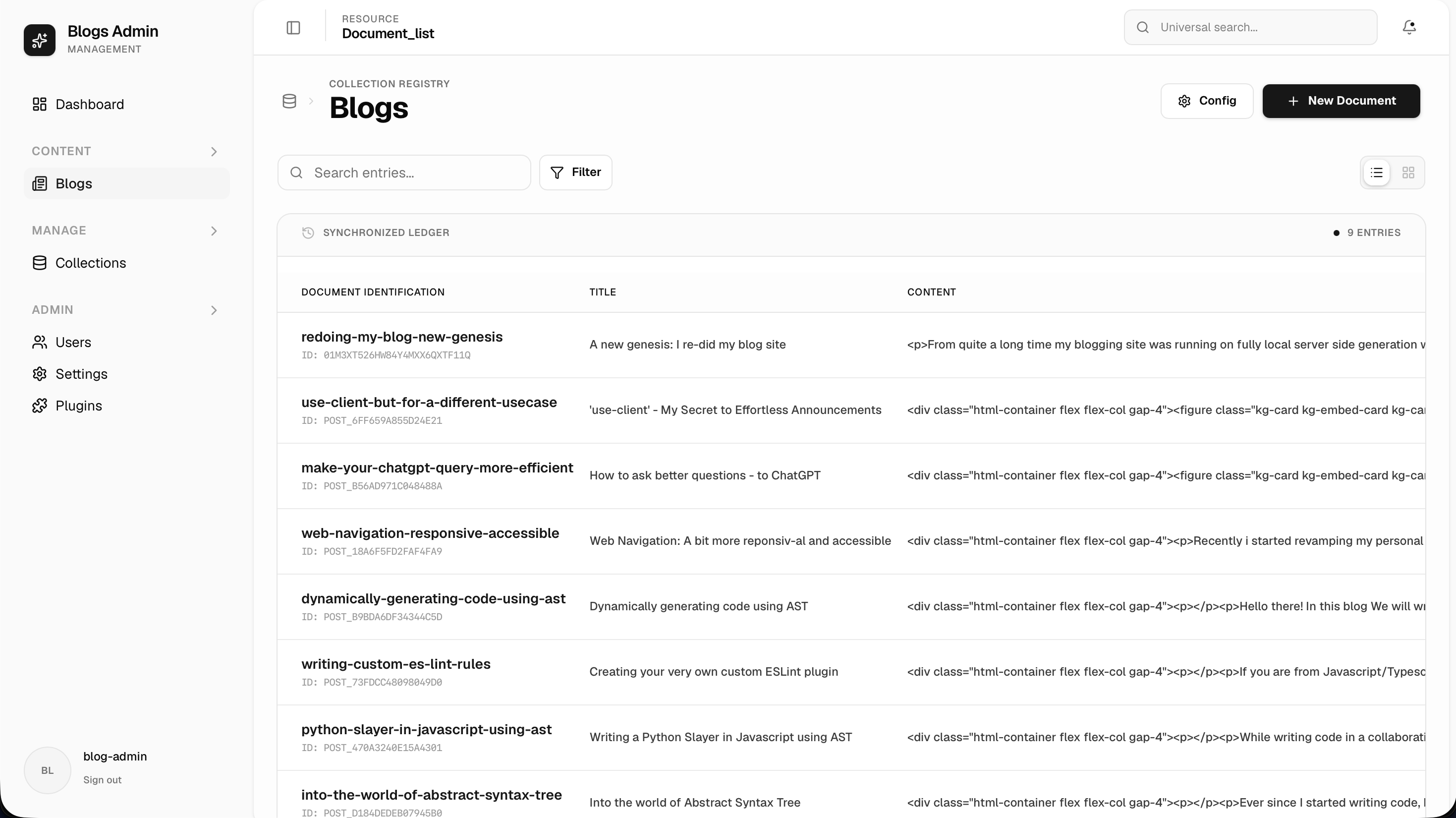
In most cases, that would probably be enough. But thinking about it from a blog CMS perspective, it wasn't. Writing blogs requires a rich text editor with specialized controls and options to make the whole experience effective.
So I was back to planning mode again and Mat Pocock's /grill-me helped me a lot. I prompted Antigravity with what I wanted: an editor for my blogs that supports rich text, cover images, slugs, SEO metadata, and other blog-specific features. Then I kept reiterating on the plan until I got what I wanted.
At the end of the implementation, I had overridden the "New Document" button using route interception. Previously, it would take me to Flare CMS's default editor. Now, it takes me to my own custom editor with all the features baked in.
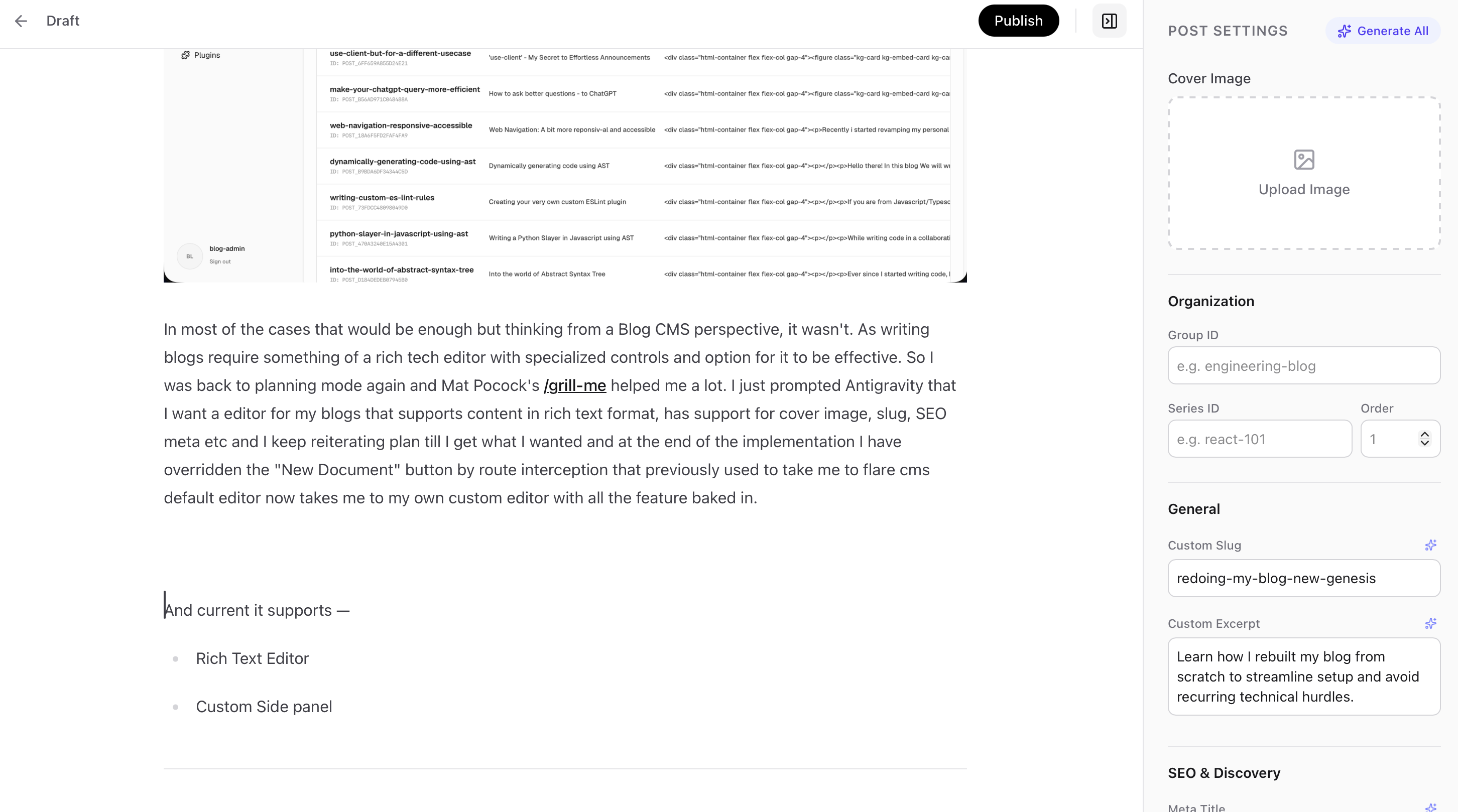
And currently, it supports:
Rich text editor
Custom side panel with cover image, slug, excerpt, SEO & discovery, tags, etc.
Media uploads to Cloudflare Object Storage
Autosave and the option to keep a post as a draft, along with a publish button
Generative AI (yup, not kidding, my CMS is AI-enabled)
And a lot more
Right now, this blog is getting really big, and experts say you should keep content short so people don't lose interest.
So, I'll leave the rest for later posts, where I'll talk about things like image uploads, building graphs and metadata for the blogs, a frontend revamp, integration with AI workers, automated SSG generation on content update etc.
Attribution -
Cover Photo by Shubham Dhage on Unsplash
Did you like the article? Please consider sharing it
A new genesis: I re-did my blog site on Cloudflare
Revamping my blog with Cloudflare Workers and Flare CMS, leveraging serverless functions and a custom AI-powered editor for seamless content management.
ajitsingh.me/blog/redesigning-my-blog-with